
TeraBox Video Player – Stream Videos Fast in HD & 4K (PlayTera Guide)
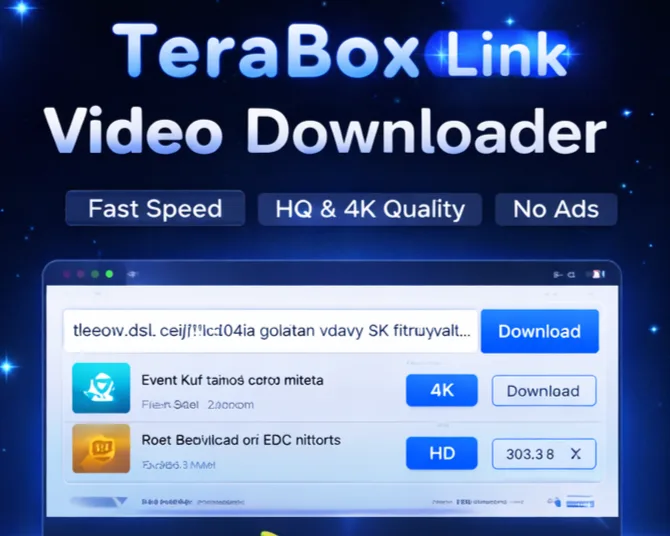
📌 Introduction: Fast Video Streaming and Seamless Playback
Streaming large video files directly from cloud platforms like TeraBox can often be a frustrating experience. Aggressive bandwidth throttling, persistent buffering interruptions, and forced app download prompts can disrupt your viewing flow, especially when all you want is a quick, uninterrupted playback session.
If you have ever attempted to stream a lecture, documentary, or high-definition clip directly from a shared cloud URL, you have likely noticed significant loading lag. On standard free tiers, speed caps can turn a short video preview into an agonizing wait.
This is precisely why modern web-based utilities like the PlayTera TeraBox Video Player have become so popular.
With PlayTera, you can experience TeraBox play online free with high-definition and 4K media directly in your mobile or desktop web browser without installing additional applications, registering accounts, or enduring intrusive popup ads. In this comprehensive guide, we explain how the player works, how to generate direct stream links, and how to configure your setup for maximum streaming performance.
🚀 What is the TeraBox Video Player?
The TeraBox Video Player by PlayTera is an advanced online media streaming tool engineered to resolve public cloud share links into direct, high-bitrate video streams. By offloading media decoding to high-speed edge nodes, the tool eliminates standard server bottlenecks and ensures continuous, low-latency playback.
Core advantages of utilizing the PlayTera streaming client include:
- Stream high-capacity files with zero initial buffer lockups.
- Enjoy native media quality ranging from 720p HD and 1080p Full HD up to 4K Ultra HD.
- Experience optimized buffer management algorithms for consistent playback.
- Operate entirely in your web browser with no APK downloads or browser extension requirements.
⚡ Why Do Standard Cloud Streams Buffer?
Understanding the root cause of slow cloud playback helps explain why dedicated streaming tools are necessary:
Standard cloud storage providers frequently allocate minimal bandwidth quotas to non-registered or free-tier stream requests. When you attempt to play a video file through default web interfaces, the server limits transfer speeds, resulting in recurrent buffering loops.
Key bottlenecks include:
- Bandwidth caps on files larger than 500MB causing frequent video freezing.
- Single-threaded video package delivery struggling on high-resolution codecs.
- Intrusive advertising scripts competing for CPU and network bandwidth.
💥 How PlayTera Solves Buffering and Speed Limits
PlayTera employs modern web-rendering technologies and optimized routing protocols to enhance your playback experience:
- Multi-Server Load Balancing: Distributes link queries across high-throughput server clusters to prevent connection bottlenecks.
- Direct Playback URL Extraction: Resolves obfuscated cloud URLs into clean stream endpoints for smooth browser rendering.
- Buffer Optimization Algorithms: Pre-fetches video segments to maintain continuous playback even during minor network fluctuations.
✔ Result: Smooth, uninterrupted video playback optimized for your local internet bandwidth.
⭐ Key Features of PlayTera TeraBox Player
Maximum Playback Speed
Utilizes your available bandwidth effectively to minimize loading latency and eliminate stutter.
No App Installation
Runs entirely inside standard web browsers on both mobile and desktop devices with zero app footprint.
4K & HD Resolution Support
Streams original source quality up to 4K Ultra HD without aggressive downscaling.
External Player Support
Copy generated direct stream links into VLC Media Player, MX Player, or KMPlayer for hardware acceleration.
Privacy-First Architecture
Ephemeral processing ensures your share URLs and video queries are never logged or stored.
Universal Device Support
🔗 How to Generate Direct TeraBox Streaming Links
When attempting to play media on official cloud portals, users are often redirected to promotional pages or asked to install proprietary apps. By extracting a clean TeraBox direct streaming link, you can play videos directly in your browser or through desktop media players like VLC with full hardware acceleration.
Step-by-step extraction workflow:
- Copy the Cloud URL: Locate the public share link of your TeraBox video file.
- Open PlayTera Player: Navigate to the PlayTera Player tool and paste the copied URL into the search box.
- Process the URL: Click "Watch Now". Our backend parser queries the stream endpoint and prepares an optimized media feed.
- Stream in External Player: You can either watch the video directly in the web player or copy the direct stream URL into VLC (Media → Open Network Stream) for enhanced playback controls.
🛠️ How to Use the TeraBox Video Player (Step-by-Step)
Using PlayTera is simple, intuitive, and fast. Follow these easy steps:
🔹 Step 1: Copy the Video URL
Copy the shareable link of the video file from your cloud account or shared message.
🔹 Step 2: Open the PlayTera Dashboard
Visit PlayTera.in in any modern mobile or desktop web browser.
🔹 Step 3: Paste and Parse
Paste the link into the central input field on the dashboard.
🔹 Step 4: Stream Instantly
Click the Watch button. The integrated video engine will load and play your video within seconds.
💡 Optimization Pro Tips for Maximum Playback Speed
To ensure smooth, stutter-free playback on high-bitrate video files, apply these best practices:
- Use a Stable Connection: Connect to high-speed broadband or stable 5G mobile networks to minimize packet loss.
- Prefer 5GHz Wi-Fi: 5GHz Wi-Fi provides significantly higher local throughput and lower interference than older 2.4GHz bands.
- Leverage VLC for Heavy Media: For files exceeding 2GB, streaming via VLC Network Stream provides deeper buffer caching and GPU hardware decoding.
- Pause Background Downloads: Pause heavy background software updates or torrent tasks while streaming high-resolution videos.
⚠️ Best Practices: Do’s and Don’ts
Ensure safe, uninterrupted cloud video streaming by following these guidelines:
✅ DO:
✔ Use original and active cloud share links.
✔ Check your local network bandwidth before launching 4K playback.
✔ Utilize modern, secure browsers like Chrome, Safari, or Edge.
✔ Stream authorized personal or educational media files.
❌ DON’T:
❌ Attempt to parse expired, deleted, or password-restricted links.
❌ Access unauthorized or copyrighted files without proper permissions.
❌ Click on unverified third-party ad popups on unofficial websites.
❌ Stream multiple simultaneous 4K tabs on limited bandwidth.
📌 Recommended Playback Guides & Resources
Explore our related tutorials for managing cloud storage and streaming media:
- 👉 Learn how to stream web videos safely: Web Video Streaming Best Practices
- 👉 Fix unsupported link errors: How to Fix Unsupported TeraBox Links
- 👉 Open the live video player: PlayTera Web Player
🌐 External Resources for Secure Browsing
To learn more about modern web security and safe media browsing standards, consult the official Google resource:Google Chrome Safe Browsing Guide
🔍 Common Problems & Quick Fixes
Troubleshoot common playback interruptions with these solutions:
- ❌ Stream Not Initializing: Verify that your TeraBox link is publicly active and not set to private or restricted access.
- ❌ Slow Buffering on High Resolutions: Check your internet speed. If watching in 1080p or 4K on a slower network, toggle the player resolution to 720p or 480p for seamless playback.
- ❌ File Not Found (404): The original file may have been moved or deleted by the content owner.
- ❌ Codec Incompatibility: Certain advanced video container formats (e.g. 10-bit HEVC) play best when the direct stream URL is opened in VLC Media Player.
❓ Frequently Asked Questions (FAQs)
Q1: Is the PlayTera TeraBox video player completely free?
Yes. PlayTera is 100% free with no registration, subscription commitments, or hidden costs.
Q2: Can I stream high-capacity video files (1GB to 5GB)?
Yes. PlayTera supports large media files, streaming them smoothly when connected to an adequate internet connection.
Q3: Does the tool support 4K resolution?
Yes. If the source file was recorded and uploaded in 4K resolution, PlayTera delivers full 4K stream rendering without forced compression.
Q4: Is PlayTera safe and private?
Yes. PlayTera operates on an ephemeral model and does not log your personal files, links, or IP addresses on server disks.
Q5: Can I stream on iPhone and iOS devices?
Yes. PlayTera is fully compatible with Mobile Safari, Chrome for iOS, Android browsers, and desktop platforms.
Q6: Why use VLC Player with direct streaming links?
VLC Player provides hardware decoding and customizable network caching, eliminating browser-specific constraints and minimizing buffering.
🧠 Why PlayTera Stands Out from Other Tools
Unlike many online tools that suffer from broken links, heavy ad bloat, or slow response times, PlayTera is built with performance and user satisfaction in mind:
- Clean Interface: Distraction-free, responsive layout optimized for quick access.
- High-Speed Infrastructure: Multi-node CDN architecture ensures fast link resolution.
- Zero-Lag Streaming: Fast time-to-first-frame minimizes waiting between paste and playback.
👉 Experience reliable, high-performance cloud video playback on every device.
📌 Conclusion
Slow loading speeds and buffering delays no longer need to ruin your cloud video streaming experience. With the PlayTera TeraBox Video Player, you can enjoy seamless, high-definition video playback in up to 4K resolution without the hassle of unwanted app downloads or intrusive ads.
Whether you are reviewing educational lectures, checking project videos, or streaming personal collections, PlayTera offers the fastest and most convenient cloud media solution on the web.