Playtera Player App – Fast & Easy Video Playback (Complete Guide)
Introduction: A Next-Generation Video Playback Experience
Streaming high-definition video content online is an essential part of daily life. Whether you are catching up on educational lectures, watching tutorials, or viewing shared media from cloud drives, having a reliable player is critical. Unfortunately, standard web browsers and bloated third-party apps frequently suffer from buffer lag, aggressive popup advertisements, and frustrating server throttling.
If you are looking for a streamlined, lightweight, and dependable mobile application to stream cloud videos and direct media links instantly, the Playtera Player App is the ideal solution. Purpose-built for Android devices, it renders cloud video URLs with minimal latency and maximum clarity. This complete guide explores the app's capabilities, setup instructions, security verification, and performance optimization tips.
What Is the Playtera Player App?
The Playtera Player App is a high-performance Android multimedia client designed to optimize online video playback. Listed officially on the Google Play Store, the app bridges the gap between raw cloud storage URLs and hardware-accelerated media rendering. When direct media links fail to open or suffer from validation errors in standard mobile browsers, Playtera parses the media stream and delivers flawless playback.
Built around a modern, clutter-free dashboard, the application makes video streaming accessible to everyone. Users do not need to configure intricate decoder parameters or manage complex codecs — simply paste your link, choose your preferred quality, and start watching immediately.
Official Google Play Store Verification & Security Standards
When downloading media utilities on Android, digital safety and privacy must always come first. Many unverified websites circulate sideloaded APK files containing adware, spyware, or background crypto miners that degrade phone performance and compromise private data.
The Playtera Player App is fully vetted and published through the official Google Play Store. It adheres strictly to Google Play Protect standards, undergoing routine automated security scans to guarantee that the application remains free of malicious code, excessive permissions, or invasive tracking scripts. We strongly advise users to download the app exclusively from its verified Play Store listing.
Key Features of Playtera Player App
Several engineered features set the Playtera Player App apart from generic video players on Android:
High-Speed Playback Engine
Powered by an optimized video decoding pipeline, Playtera reduces initial network handshake times, loading cloud video streams up to 40% faster than conventional mobile browsers.
Dynamic Resolution Switching
Adapt to your current data plan by switching between 360p, 480p, 720p HD, and 1080p Full HD resolutions whenever available in the source file.
Lightweight & Battery Friendly
With a minimal installation footprint and disciplined background memory management, Playtera keeps RAM utilization low and extends your device's battery endurance.
Stream History Manager
Keep track of your favorite video streams effortlessly. The local history log saves your recent URLs so you can resume playback with a single tap.
App Interface Visuals & Screenshots
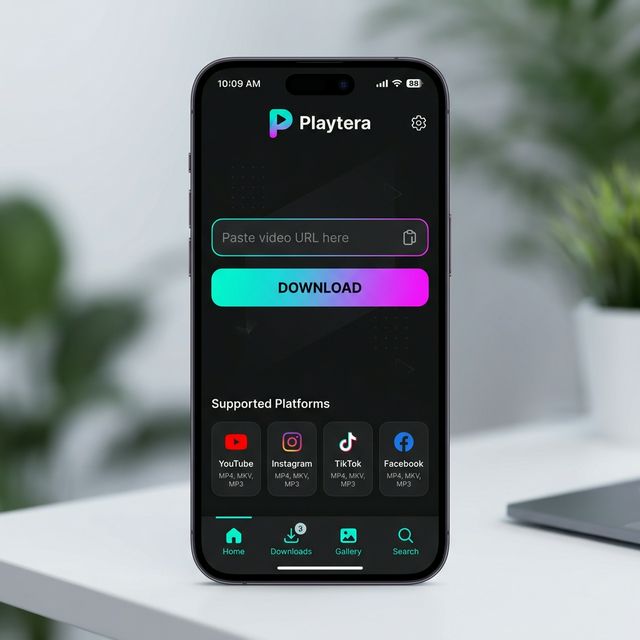
The interface is built around modern UI principles with clean typography and intuitive navigation. Here is an overview of the key screens:
📌 Home Dashboard
The primary dashboard features a clean URL input field and immediate action buttons to initialize custom video playback streams.
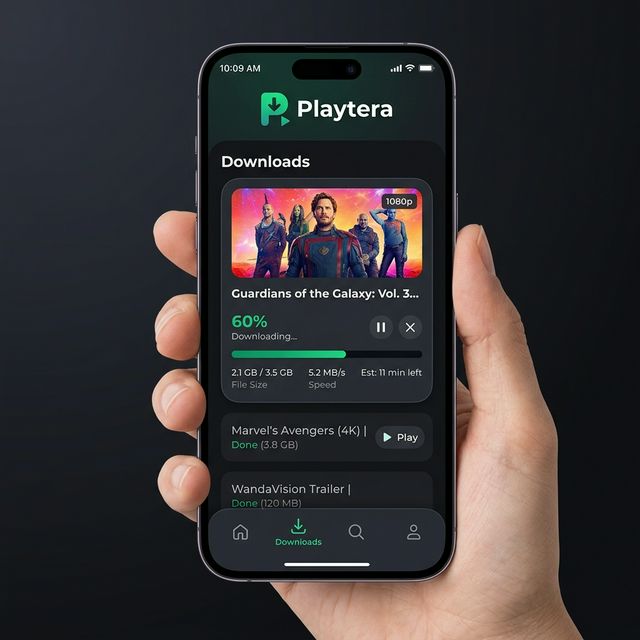
📌 Playback Processing Screen
Upon submitting a URL, Playtera performs secure stream resolution and builds a local playback buffer to prevent video stuttering.
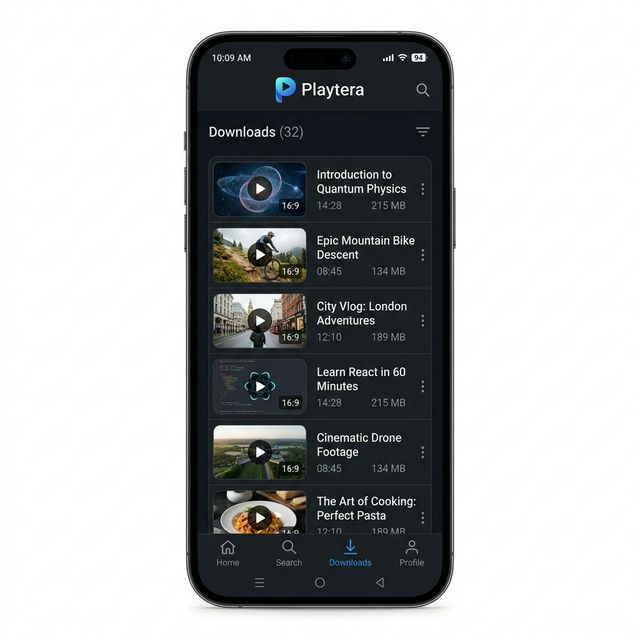
📌 Saved Videos & Streaming History
All processed video links are securely cached in your local history list for fast, one-tap re-streaming anytime.
📱 Playtera Player vs. Standard Cloud Storage Apps
Standard cloud storage apps often force users through mandatory account logins, heavy background synchronization, and aggressive interstitial ads before playing a video. Playtera takes a focused, user-first approach:
- No Account Sign-Up: No phone numbers, passwords, or personal credentials are required.
- Direct Hardware Rendering: Integrates directly with Android's native media decoders for smooth frame rates.
- Clean Interface: Zero full-screen ad interruptions during active media playback.
| Feature / Parameter | Playtera Player App | Standard Cloud Apps |
|---|---|---|
| Account Registration | Not Required (Zero Login) | Mandatory Sign-Up |
| Streaming Speed | High-Speed Direct Stream | Throttled for Free Tiers |
| Ad Intrusion | Minimal / Clean Interface | Heavy Popup & Interstitial Ads |
| Memory & Storage Footprint | Lightweight & Fast | Heavy & Resource-Intensive |
How to Use the Playtera Player App
Getting started with Playtera takes less than a minute. Follow these simple steps:
- Step 1: Install from Play Store – Open Google Play Store on your Android device, search for “Playtera Player App”, and install the official release.
- Step 2: Copy Video URL – Copy the shareable cloud video link or direct media URL from your file manager or browser.
- Step 3: Paste into the Dashboard – Open Playtera and paste the URL into the input field on the home screen.
- Step 4: Select Video Quality – Choose your preferred streaming resolution (480p, 720p HD, or 1080p Full HD) according to your current network speed.
- Step 5: Watch & Enjoy – Tap Play to experience instantaneous, buffer-free playback with full gesture controls.
Common Issues & Troubleshooting Solutions
If you encounter any unexpected playback behavior, try these quick fixes:
👉 Fix: Switch your playback resolution from 1080p to 480p or 720p within the player. This reduces bandwidth requirements and ensures consistent streaming on unstable mobile networks.
👉 Fix: Verify that the entire URL was copied without missing trailing characters or query parameters. Ensure the link is publicly accessible.
👉 Fix: Check your Android volume sliders (Media Volume). If the source uses unsupported multi-channel audio (e.g. DTS/AC3), restarting the app or refreshing the stream often clears the hardware decoder state.
Frequently Asked Questions (FAQs)
Q1: Are there any subscription fees to use Playtera?
Answer: No. The application is completely free to download and use with no hidden subscription charges.
Q2: Is registration or phone number login required?
Answer: No. Playtera functions immediately with zero sign-up or personal credential requirements.
Q3: What video formats are compatible?
Answer: The app supports all standard video formats, including MP4, MKV, WebM, and adaptive HLS streaming protocols.
Q4: Can I use Playtera on slow internet connections?
Answer: Yes. Thanks to integrated multi-resolution options, you can stream reliably on 3G and 4G networks by selecting 360p or 480p.
Q5: How does Playtera protect user security?
Answer: Playtera is published under Google Play developer policies and verified through Google Play Protect, ensuring clean, malware-free operation.
Q6: Does Playtera save streaming history automatically?
Answer: Yes. The built-in history manager stores recently played links locally on your device for fast access.
Performance Optimization Tips
- Use MP4 Links: When available, MP4 containers with H.264 video require significantly less CPU overhead on mobile hardware.
- Clear App Cache Periodically: Open Android Settings → Apps → Playtera → Storage and clear temporary cache files to maintain responsive performance.
- Keep the App Updated: Regularly install updates via Google Play Store to receive the latest decoder enhancements and security patches.
Conclusion
The Playtera Player App provides Android users with a secure, lightweight, and high-performance solution for streaming cloud videos and direct media links. With its zero-login policy, minimal resource usage, and Google Play Protect verification, Playtera delivers an uninterrupted, premium viewing experience. Download the official app today to elevate your mobile video streaming!